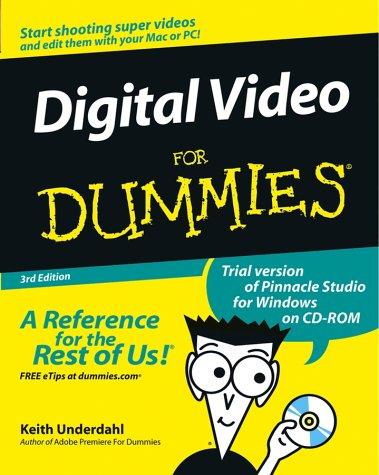
Digital video for dummies
Sign in to keep track of books you’ve read and want to read.
So you have a camcorder and visions of being the next Spielberg. But how do you progress from shooting so-so footage to showing your own finished movie? Digital Video For Dummies, 4th Edition gives you the know-how and the show-how! Find out how to shoot and edit great movies, using iMovie, Windows Movie Maker, or Adobe Premiere Elements to add the finishing touches like special effects and your own soundtrack. With the latest information and lots of illustrations and screen shots, this friendly guide walks you through: Getting your computer ready to work with digital video (complete with information about FireWire) Choosing a camcorder, including features to look for and features that are useless Digitizing old VHS videotapes to preserve memories Purchasing other movie making gear, including audio and lighting equipment Shooting better video, with tips on lighting, panning, using the zoom, and recording better audio Creating your own sound effects such as footsteps, bones breaking, fire, thunder, insects buzzing, and more Capturing digital video using iMovie, Windows Movie Marker, or Premiere Elements Editing, including understanding timecode, organizing and previewing clips, and assembling clips in Storyboard and Timeline Adding transitions, titles, and special effects Importing and integrating video from phones and digital cameras Using audio rubberbands in iMovie, Premiere Elements, and other editing programs Adding narration, importing and working with CD audio, and adding a music soundtrack Keith Underdahl has extensive professional video production experience developing kiosk and marketing videos for Ages Software. Realizing that you'll want to polish and premiere your movie, he includes information on: More advanced video editing, including animating video clips, improving light and color, compositing video (bluescreen or greenscreen), and more 13 categories of video effects, ranging from blur and sharpen to transform Working with still photos and graphics Sharing your video online using QuickTime (/QT), RealMedia (.RM), or Windows Media Video (.WMV) Making tapes or burning DVDs in 9 steps With a handy cheat sheet of keyboard shortcuts, a chart comparing 10 video editing programs, a glossary, and more, with this guide you'll soon be saying "Lights, camera, action" and producing your own movie attraction.
Liked Digital video for dummies? Here’s where I’d start.
These suit anyone who liked Digital video for dummies. Sign in and mark a few books for picks shaped around your own taste.
-
 Sams Teach Yourself Svg in 24 Hours Shares computer technology, photography, technology
 -
 Visual C++ 6 Unleashed Shares computer technology, technology, nonfiction
 -
 Sams teach yourself MAC OS X in 24 hours Shares computer technology, technology, nonfiction
 -
 Engineering Distributed Objects Shares computer technology, technology, nonfiction